
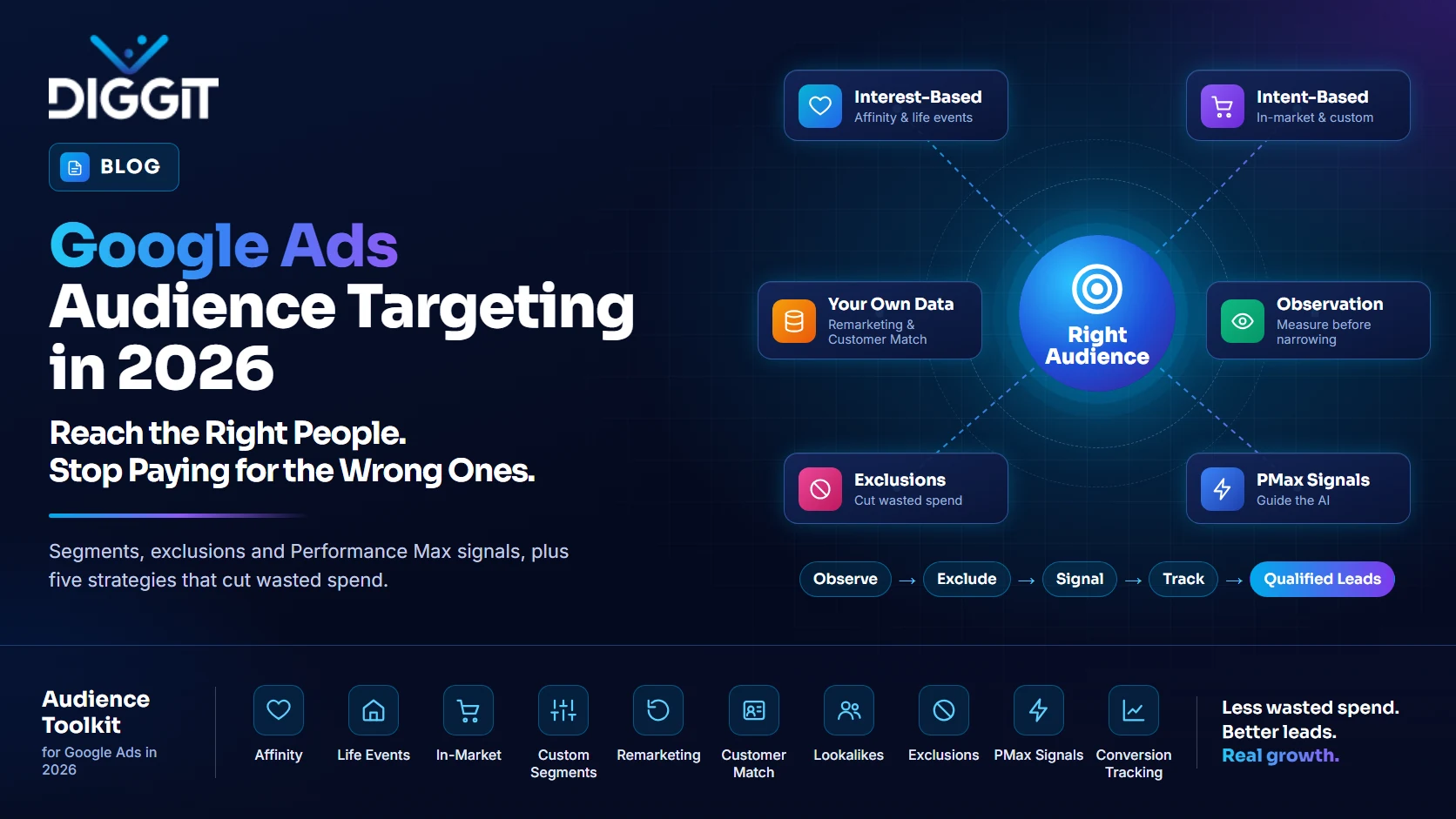
Most businesses spend a lot of time picking keywords and not much time on the audience settings in Google Ads. That's a costly blind spot. Keywords tell Google what people are searching for. Audiences tell Google who is searching, and that difference often decides whether your budget turns into qualified leads or just clicks.
Google has also automated a lot of its platform over the past two years. Some settings that used to lock your ads to a specific group now work more like hints. If you're still running campaigns the way you did in 2023, part of your budget may be going somewhere you didn't plan.
This guide covers how audience targeting works today, what has changed, and the practical moves that give you the most value from every dollar.
Why Audiences Still Matter in an Automated Google Ads World
It's easy to assume Google's AI handles everything now. It handles a lot, but it only learns from what you give it. Audiences do three useful jobs in your account:
- They focus your spend on the groups most likely to buy.
- They block waste by keeping ads away from people you shouldn't be paying to reach.
- They train the algorithm by showing Google what your best customers look like.
Skip audiences entirely and Google fills the gaps with its own guesses. Sometimes that works. Often it doesn't, especially for B2B companies and local service businesses with specific buyers.
The Audience Types Available in Google Ads
Google groups its audiences into three broad families. Knowing which family you're using helps you set realistic expectations.
Interest-Based Audiences
Affinity segments reach people based on long-term interests and habits, such as fitness, home improvement, or travel. Life event segments reach people going through milestones like moving, starting a business, or getting married. These are best for building awareness, not for driving immediate sales.
Intent-Based Audiences
In-market segments reach people actively researching or comparing products in a category. Custom segments let you build your own audience from keywords, website URLs, or apps your ideal customers use. These sit closer to the purchase decision.
Your Own Data
This is the most powerful family. It includes remarketing lists (people who visited your website or app), Customer Match (your uploaded customer or lead lists), and lookalike segments built from those lists. Your own data reflects real buyers, which is why it usually outperforms anything Google can infer.
One important note: not every audience works in every campaign type. Custom segments and life events, for example, are built for Display, Video, and Demand Gen, not standard Search campaigns. Pick the campaign type that supports the audience you need.
Targeting vs. Observation: The Setting Most Advertisers Get Wrong
When you add an audience to a campaign, Google asks you to choose between two modes.
- Targeting restricts your ads so only that audience can see them.
- Observation shows ads to everyone your keywords match, but reports how that audience performs separately.
For Search campaigns, we almost always recommend starting with observation. It lets you collect real data without shrinking your reach. Once you see that a segment converts better or worse, you can make an informed decision.
Keep one detail in mind if you use Smart Bidding (Target CPA, Target ROAS, Maximize Conversions). These strategies set bids automatically, so you can't manually bid up an observed audience. Your audience data still feeds the algorithm, though, so observation is far from wasted.
Audience Exclusions: The Fastest Way to Cut Wasted Spend
Exclusions are one of the most underused tools in Google Ads, and often the quickest win in an account audit. Here's where they pay off:
- Existing customers in acquisition campaigns. A current client searching your brand name to find the login page shouldn't cost you a new-customer click.
- People who already converted. If someone booked a consultation last week, stop showing them the ad asking them to book a consultation.
- Job seekers and support traffic. Exclude careers-page visitors and help-center users from sales campaigns.
The catch is data quality. An exclusion list is only as good as the CRM or tracking behind it. An outdated list can block real upsell opportunities or let past customers slip through. Review your lists at least quarterly.
Performance Max: Signals Guide the AI, They Don't Fence It In
This is one of the most misunderstood parts of modern Google Ads. In Performance Max, audiences are added as signals. A signal tells Google, "people like this tend to be valuable customers." It does not stop Google from showing your ads to anyone outside that group.
So the rule is simple:
- Use signals to point the AI toward your best buyers and speed up learning.
- Use exclusions when you truly need to keep people out.
The best signal you can give Performance Max is a list of your actual closed customers, not every form submission. That teaches the system to find more buyers, not more browsers.
What Changed in Google Ads Audience Targeting in 2026
A few updates this year change how audiences behave:
- Demand Gen lookalikes now lean toward suggestions. Since March 2026, Google treats Demand Gen lookalike segments as inputs that guide the algorithm by default rather than as strict boundaries, though advertisers can opt out to keep strict targeting.
- Performance Max now accepts first-party exclusions. You can keep Customer Match lists, website visitor lists, and Google Analytics lists out of your campaigns. Google explains how this works in its guide to Performance Max data exclusions.
- Optimized targeting can widen your reach. In Display, Video, and Demand Gen campaigns, this setting can show ads beyond the audiences you selected. Check whether it's switched on.
The takeaway: don't assume a setting works the way it did last year. Verify inside your account.
5 Audience Strategies Worth Testing This Quarter
- Win back lost deals with Customer Match. Upload prospects who received a quote but didn't buy, and re-engage them with a fresh offer or a case study.
- Remarket by buying stage. Someone who read a blog post needs different messaging than someone who viewed your pricing page. Split your remarketing lists accordingly.
- Upsell existing customers. Use Customer Match to promote a new service to current clients with messaging written for people who already trust you.
- Feed Performance Max your best customers. Upload high-value clients as a signal so the AI learns from your strongest buyers.
- Prospect with custom segments. Build an audience around competitor brand terms or industry websites to reach people actively comparing options.
Before testing, confirm your lists are large enough to run. Google generally needs at least 100 active users from the past 30 days for a data segment to serve on Search, Display, and YouTube. You can check the current thresholds in Google's audience list size requirements.
Does Better Targeting Mean Better Leads?
Better targeting helps, but it can't fix a lead quality problem alone. Audiences control who sees your ads. Accurate conversion tracking tells Google which leads actually turned into revenue. You need both working together. That's why every Google Ads engagement should start with a proper tracking setup in Google Analytics 4 and Google Tag Manager, so you're measuring cost per qualified lead, not just cost per click. If you're still setting your budget, our breakdown of how much Google Ads costs in 2026 covers CPC benchmarks and how to work out a realistic monthly spend.
Frequently Asked Questions
Yes. Upload them as a Customer Match list and add it as an exclusion. Performance Max also supports a new-customer acquisition goal for this purpose.
Not in the strict sense. It uses audience signals to guide delivery, but it can still show ads to people outside those signals. Use exclusions to keep specific groups out.
Start with observation. It gives you performance data without limiting your reach, so you can decide later whether narrowing makes sense.
Get More from Your Google Ads Budget with DIGGIT Global
Audience settings are often configured once at launch and never touched again. A quick review of your targeting, exclusions, and signals can uncover wasted spend you didn't know was there.
At DIGGIT Global, we audit and manage Google Ads accounts for businesses across the US, UK, and UAE, combining audience strategy with accurate conversion tracking so your budget goes toward leads that actually close.
Ready to stop paying for the wrong clicks? Book a free consultation with our team and we'll review your targeting, exclusions, and tracking.